A plain summary, so you can get the gist here without leaving.
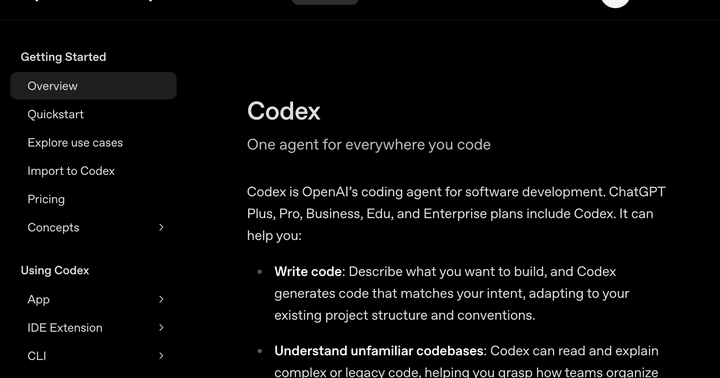
Codex is OpenAI's coding agent. It reads, edits, and runs your code, and you can reach it from your terminal, your editor, a desktop app, the web, and inside ChatGPT.
What it actually is
Codex is one agent you meet through several doors. The terminal version, called the Codex CLI, runs on your own machine in the command-line window where developers type instructions, and it can inspect a repository, change files, and run commands there. A repository, or repo, is the folder that holds all of a project's code and its history. There is also an editor extension that works inside VS Code, Cursor, and JetBrains tools, a desktop app, and a cloud version you open in your browser or inside ChatGPT.
OpenAI builds Codex, and it runs on the company's recent GPT-5 series coding models. Beyond writing code, it can explain an unfamiliar codebase, review code, and help debug problems. The CLI is open source under the Apache-2.0 license, so anyone can read how it works, and you can sign in with a ChatGPT plan or with an API key.
The core idea, in plain terms
You give Codex a goal in plain language, and it works in a loop: it reads the relevant files, makes an edit, runs something to check the result, then decides what to do next. On your own machine it works inside a sandbox, a walled-off space that limits what it can touch, which lowers the chance of an unwanted change while it tries things out.
The cloud version goes a step further. You hand it a task and it runs on its own in an isolated environment, then hands back a finished change you can review. It can run several tasks at the same time, and it produces a clear diff, a side-by-side view of what changed, along with a pull request. A pull request, or PR, is the standard way to propose changes to a shared codebase so other people can look before they are merged in.
Why it matters for building with AI
Codex shows how flexibly an AI agent can fit around the way you already work. You might start a task in your editor, let the cloud finish it while you do something else, then review the result when it is ready. You can also connect Codex to your GitHub account, the service where much of the world's code is hosted, and hand it work by tagging it on an issue or a pull request, which it picks up and turns into a proposed change.
For a beginner, the lesson is that the same agent can sit quietly in your terminal or take a whole job off your plate in the background. You choose how much to hand over, and you stay the one who reviews and approves what comes back.
- Made by OpenAI, and reachable from the terminal, an editor extension, a desktop app, the web, and inside ChatGPT.
- Works in a loop on your real project: reading files, editing code, and running commands to check itself.
- Its cloud mode can take a task, work on it on its own in an isolated environment, and hand back a finished change.
- Connects to GitHub: tag it on an issue or a pull request and it picks up the task and proposes a change.
- Runs locally inside a sandbox to limit unwanted changes, and the terminal version is open source under Apache-2.0.
OpenAI
New to this? Come build with us.
Reading is good. Building with people is better. Our drop-ins are free and open to total beginners.