A plain summary, so you can get the gist here without leaving.
GitHub Copilot is an AI assistant that works inside your code editor. As you type, it suggests the next lines, and you can ask it questions without leaving your work.
What it actually is
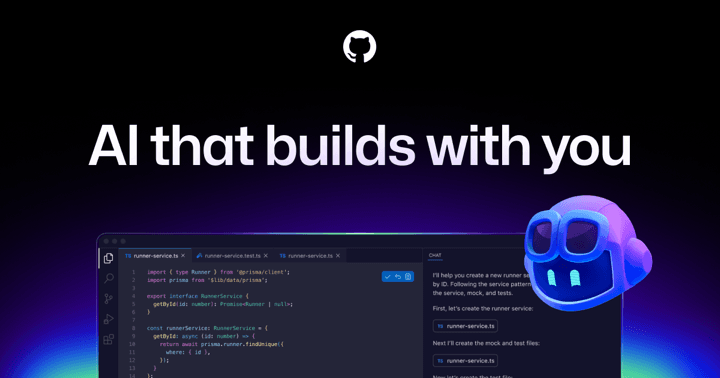
Copilot is made by GitHub, the company where a huge amount of the world's open source code is hosted and shared. It plugs into popular editors and watches what you are writing. When it sees where you are headed, it offers a suggestion in faint text that you can accept with a single key.
Beyond suggestions, it includes a chat where you can ask things in your editor, like what a piece of code does, how to fix an error message, or how to write a small function. It was one of the first tools to make this kind of in editor AI feel normal.
The core idea, in plain terms
The signal idea is gentle, continuous help while you work. You stay the author and keep typing, and Copilot fills in the predictable parts so you spend less time on boilerplate, the repetitive code that every project needs but nobody enjoys writing.
Because the suggestions appear inline and you choose whether to accept them, it feels less like handing the work over and more like having a thoughtful partner finishing your sentences when the next step is obvious.
Why it matters for builders
For learners, Copilot is a quiet teacher. Seeing it complete code you were about to write, or asking it to explain a line you do not understand, builds intuition over time.
It is also one of the most widely adopted AI coding tools, so when people in the building community talk about working alongside an AI in the editor, Copilot is often the shared reference. Knowing how it works gives you a useful baseline for understanding the rest of the field.
- Suggests code inline as you type, which you accept or ignore.
- Made by GitHub, home to much of the world's shared code.
- Includes a chat for asking questions right inside your editor.
- Best at handling repetitive, predictable code so you focus on the interesting parts.
- A widely used baseline tool and a quiet way for beginners to learn by example.
GitHub
New to this? Come build with us.
Reading is good. Building with people is better. Our drop-ins are free and open to total beginners.